Activity Mapping


🏃➡️🏃♀️➡️🏃♂️➡️
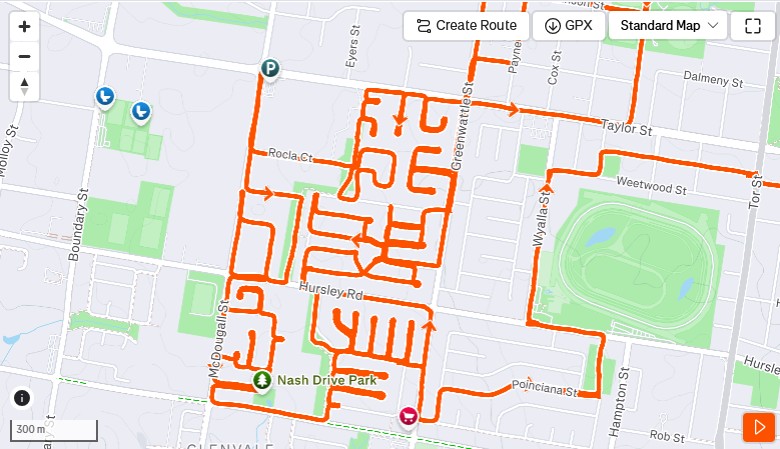
To keep myself amused when running I sometimes engage in "street painting".
Not Strava Art (although I love that).
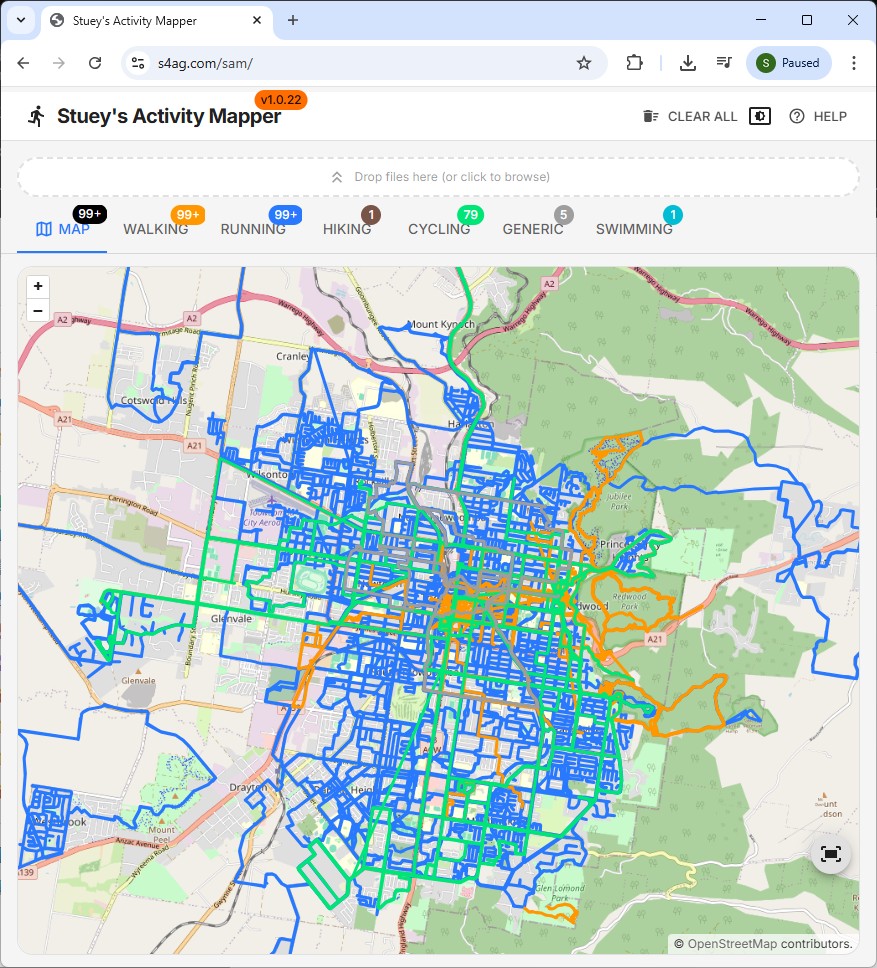
"Street painting" is a term I use for running every street in an area/suburb/town. It relates to viewing your GPS track on a map and seeing how many streets you've "painted" with the color of the lines that indicate your path.
Why? Dunno. Like I said, it amuses me, and it adds extra mental stimulation to a run.
- figuring out routes, and strategizing optimal run paths
- navigating while on the road
It keeps it interesting. 🤷🏻
I took up the practice a few years back after watching "How I ran the length of every street in Pittsburgh: PAC TOM" on YouTube.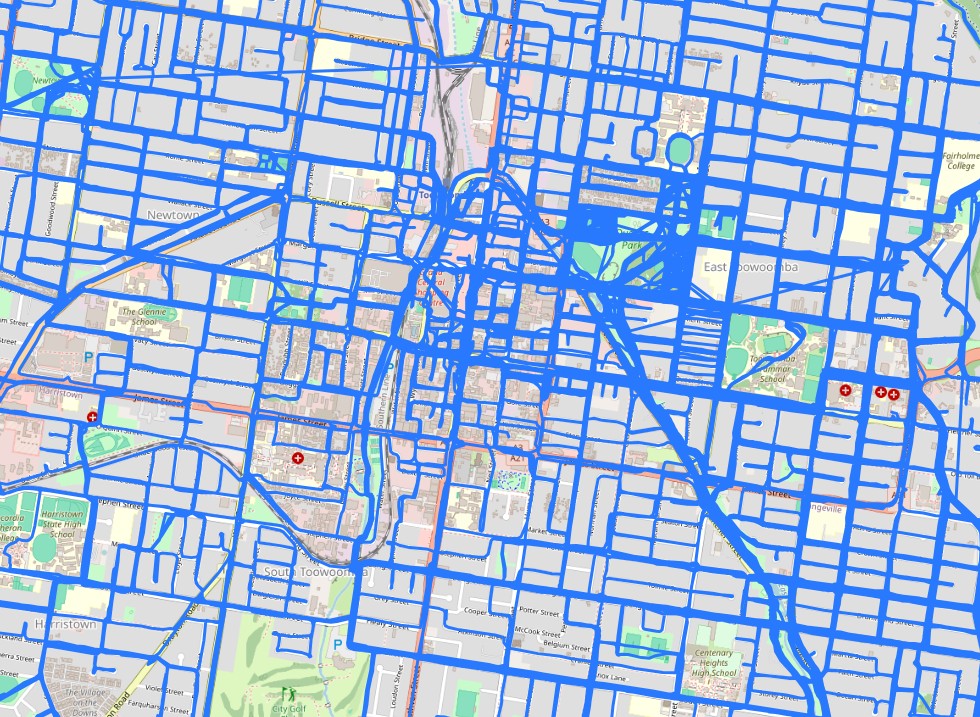
My goal at the moment is to run every street in my town, Toowoomba.
I don't have a time limit. I progress in fits and spurts. I street paint in between other running activities - club runs and races. When I'm injured or the calendar is full, the street painting takes a back seat. It could take me years to get Toowoomba finished. I'm 100% ok with that.
For the past 18 months I haven't been able to do much at all.
🏃➡️🏃♀️➡️🏃♂️➡️
My method of figuring out where I've been, and where I'll go next has not been terribly involved. I basically download my latest runs from the Garmin Connect web site and import them into Google Earth. It's a painful and manual task. But not too bad if you do it a few times every week.
Once I know where I've been I simply manually plot a route on "unrun" streets that matches the distance I'm prepared to run that day.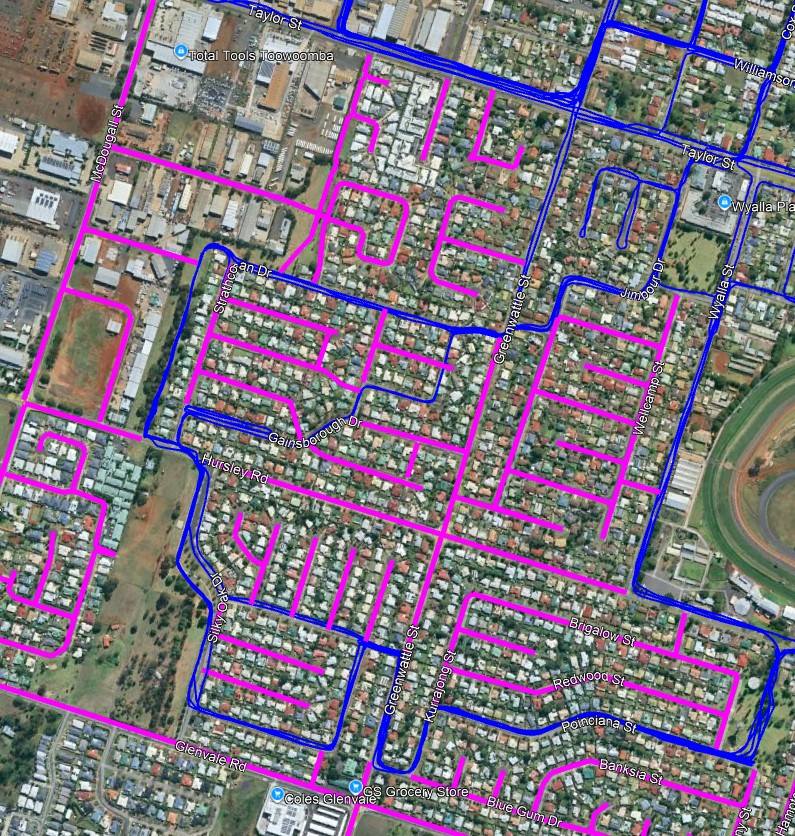
However, having to download 18 months of runs in order to update my map had me a bit bluffed. I really didn't want to do that manually.
Thankfully, a bit of googling showed me how to export my entire activity history. This can be done at the "Garmin Data Management Website".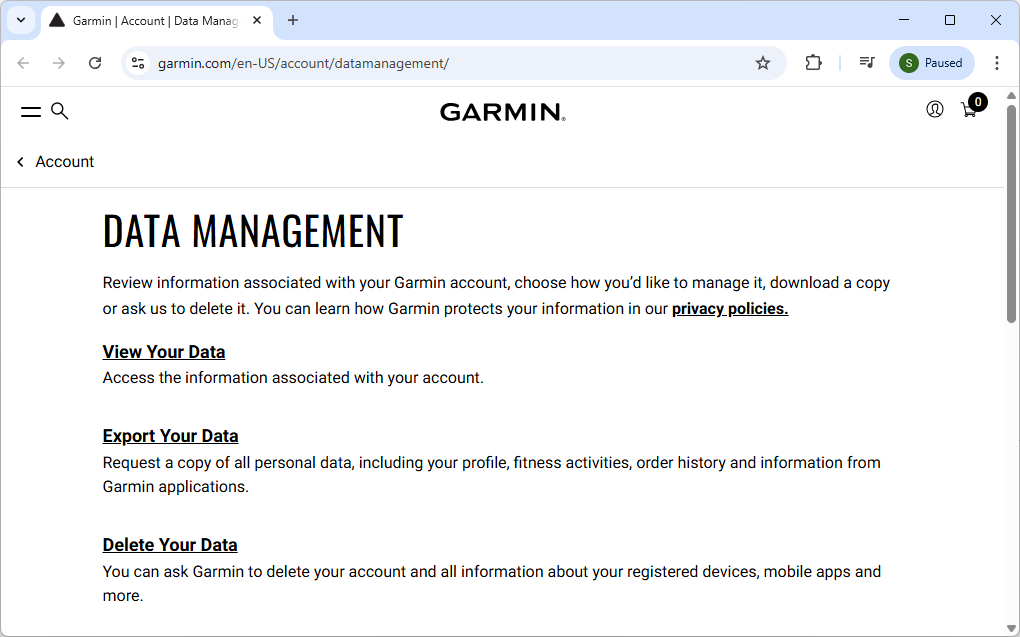
You submit a request and then wait. For me it would have been less than 30 min before I got an email telling me my data was ready.
There is all sorts of info in the downloaded files. I was interested in the files in the "DI_CONNECT\DI-Connect-Uploaded-Files" folder.
This folder contains a group of zip files, each of which contains multiple .fit files. In my case there was about 23,000 .fit files.
Flexible and Interoperable Data Transfer (*.fit) files are a Garmin thing, but are apparently well supported across many devices and services. They were new to me.
Also. It looks like you can download these from Strava also...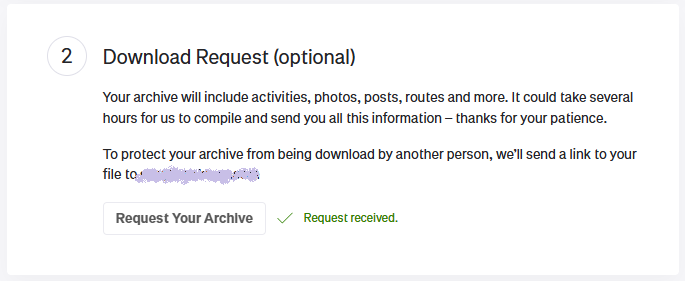
🏃➡️🏃♀️➡️🏃♂️➡️
The next thing I needed to do was to convert the .fit files into .kml format so I could load them into Google Earth.
There are services and tools out there already to do this type of conversion.
But I'm a coder. And coders are idiots. So I built my own.
Thankfully, with the advent of vibe coding, these stupid side excursions are not as big a time waste as they used to be.
🏃➡️🏃♀️➡️🏃♂️➡️
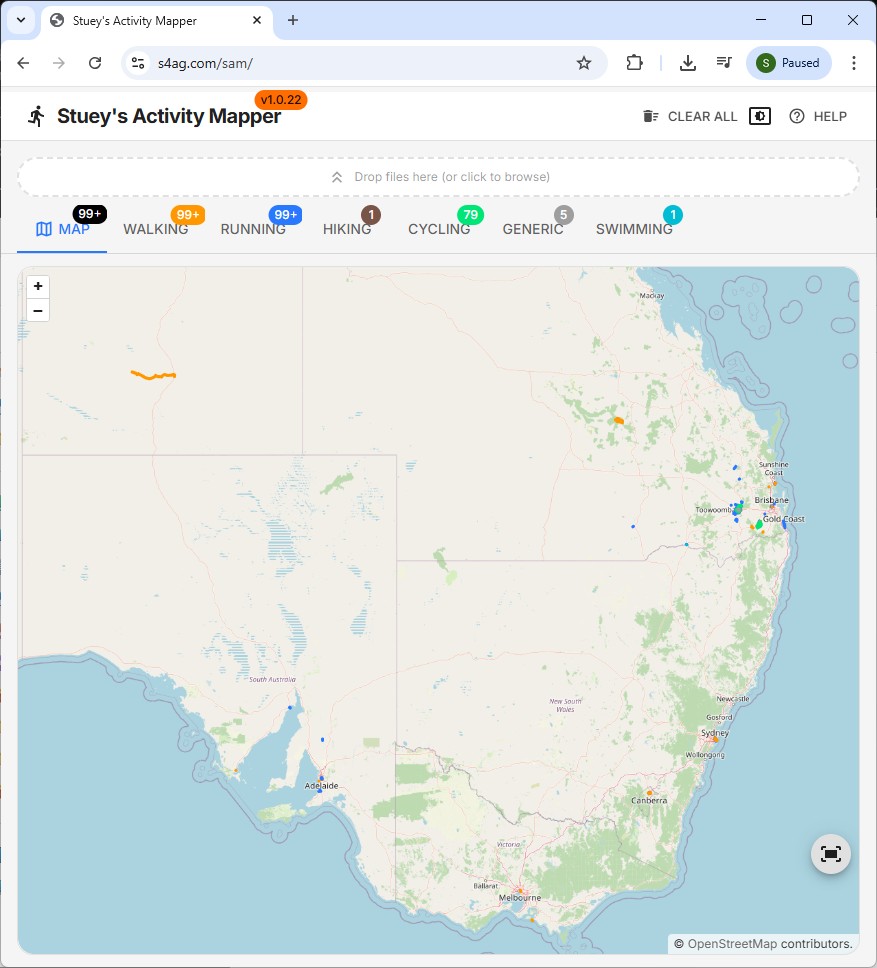
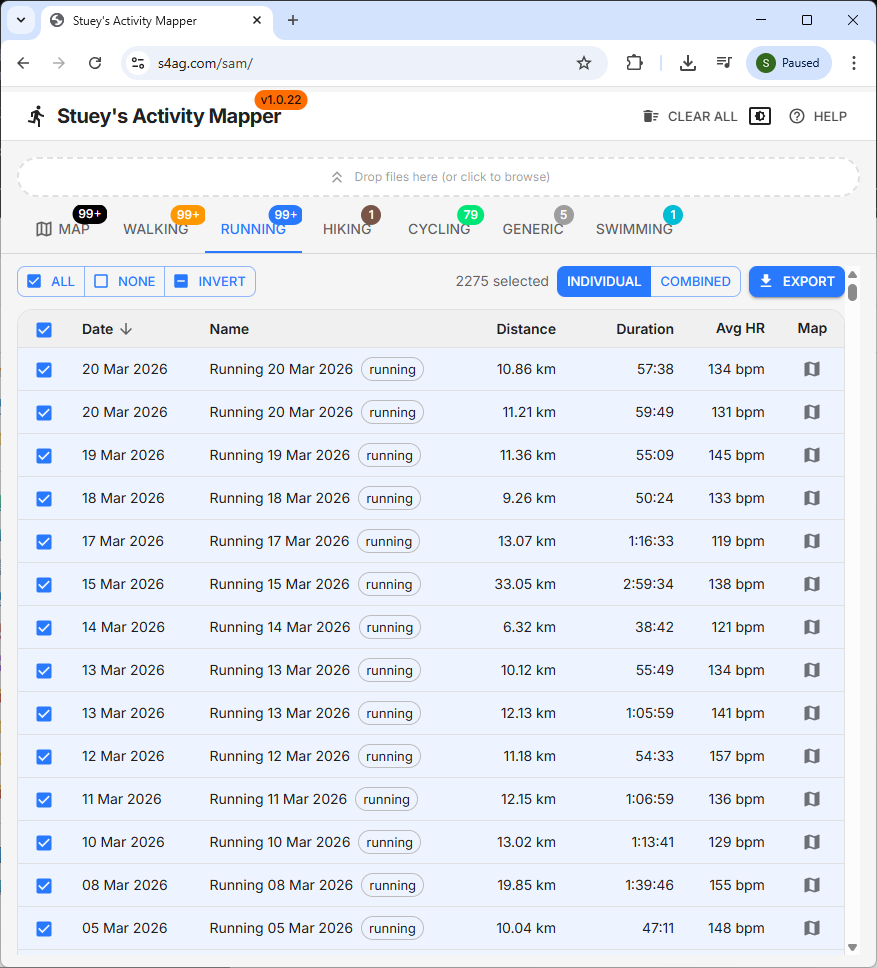
Stuey's Activity Mapper
Try it yourself with your own data if you want. It's at https://s4ag.com/sam.
🏃➡️🏃♀️➡️🏃♂️➡️
From this point down is mainly AI slop with a few edits from me. Read it if you want. It's not bad info:
What is Stuey's Activity Mapper?
A client-side web application designed to load, visualise, and export Garmin .fit activity files. Whether you're a runner, cyclist, swimmer, or multi-sport athlete, you see your workouts mapped out on OpenStreetMap - all without uploading data to any server.
Key Features
- Interactive Map Visualisation - See your GPS tracks rendered on an OpenStreetMap base layer
- Multi-Sport Support - Automatically detects and color-codes activities by sport type (running, cycling, swimming, hiking, etc)
- Multi-Format Export - Export your activities as GPX, KML, GeoJSON, or CSV
- Sport-Type Filtering - Filter your activities by sport type using the tabbed interface
- 100% Client-Side - Your data never leaves your browser; everything is processed locally
- Persistent Storage - Activities are saved to your browser's IndexedDB and restored on your next visit
- Theme Options - Choose between light, dark, or system-following themes
How Does It Work?
- You drop your
.fitfiles (or a.ziparchive containing multiple files, a better option) onto the app - The FIT parser reads the binary data and extracts GPS track points, heart rate, distance, duration, etc
- Activities are rendered on the map with color-coded lines based on sport type
- Everything is saved locally to your browser's IndexedDB storage
Getting Started
Step 1: Open the App
Navigate to www.s4ag.com/sam in your browser. The app works best in Chrome, Firefox, or Edge on desktop.
Step 2: Load Your Activities
You have two options:
Option A: Drag & Drop
- Drag individual
.fitfiles or.ziparchives directly onto the drop zone at the top of the page - Or drag files anywhere on the page - the global drop overlay will appear
Option B: Browse Files
- Click the drop zone to open a file picker
- Select one or more
.fitfiles or.ziparchives
Step 3: Explore Your Data
Once your activities load:
- Map Tab - View all selected activities on the map, color-coded by sport type
- Activity Tabs - Click on a sport type (Running, Cycling, etc.) to filter activities
Step 4: Export (Optional)
Select the activities you want to export, choose your format (GPX, KML, GeoJSON, or CSV), and click Export. Multiple activities can be exported individually (zipped together) or combined into a single file.
Understanding FIT Files
What is a .fit File?
FIT (Flexible and Interoperable Data Transfer) is a binary file format developed by Garmin for storing activity data from GPS devices. Each file contains:
- GPS track points (latitude, longitude, elevation)
- Heart rate data
- Pace and speed
- Distance and duration
- Activity type (running, cycling, swimming, etc.)
How to Download from Garmin Connect
- Go to connect.garmin.com and log in
- Navigate to Activities from the main menu
- Click on the activity you want to export
- Click the gear icon (Settings) in the top-right corner
- Select Export to File
- The activity downloads as a
.fitfile
Note: this is for a single activity. Maybe there is a way to do multiple. I couldn't find it. To do the lot use the method I describe earlier...
Export Formats Explained
| Format | Best For |
|---|---|
| GPX | Importing into other GPS devices or apps like Strava, Garmin Connect |
| KML | Viewing in Google Earth or Google Maps |
| GeoJSON | Web mapping applications, GIS software, data analysis |
| CSV | Spreadsheet analysis, custom data processing, Excel |
Privacy & Security
Your data stays on your device. SAM is entirely client-side:
- No files are uploaded to any server
- No data is transmitted over the network
- All processing happens in your browser
- Activities are stored in your browser's IndexedDB (cleared only if you click "Clear All" or clear your browser data)
Known Limitations
- Activities without GPS data (e.g., indoor strength training) will load but won't appear on the map
- Very large FIT files (multi-hour activities with 1 Hz recording) may take a few seconds to parse
- The app requires a modern browser with IndexedDB support
Tips & Tricks
- Use ZIP archives - Export multiple activities from Garmin Connect as a ZIP and drop them all at once
- Filter by sport - Use the sport tabs to focus on specific activity types
- Double-click to zoom - Quickly jump to any activity on the map by double-clicking its row
- Combine exports - Use "Combined" mode to merge multiple activities into a single download file
- Dark mode - Switch to dark theme for nighttime analysis sessions
Frequently Asked Questions
Q: Do I need a Garmin device to use SAM?
A: SAM is designed for Garmin .fit files, but any device that exports FIT format might work (?? dunno, I haven't tried it).
Q: Can I use this on my phone?
A: The app is primarily designed for desktop browsers. Mobile support is limited.
Q: What happens if I clear my browser data?
A: Your saved activities will be lost. Export important activities as a backup.
Q: Is there a limit to how many files I can load?
A: There's no hard limit, but loading hundreds of large files may impact performance.
Q: Can I edit my activities?
A: SAM is a viewer/exporter only. Editing must be done in Garmin Connect or other tools.
Stuey's Activity Mapper is provided free of charge and is not affiliated with Garmin Ltd. FIT is a trademark of Garmin Ltd.